
Home Bedrock Cosmos
My Library
News Apr 19, 2026 ·

How to Get the Ender Dragon Wings in Minecraft Bedrock

A new rare back item is coming to the Minecraft Bedrock Character Creator, bundled with an upcoming LEGO set. Here is everything you need to know, plus how to try it on early using Bedrock Cosmos before anyone else.

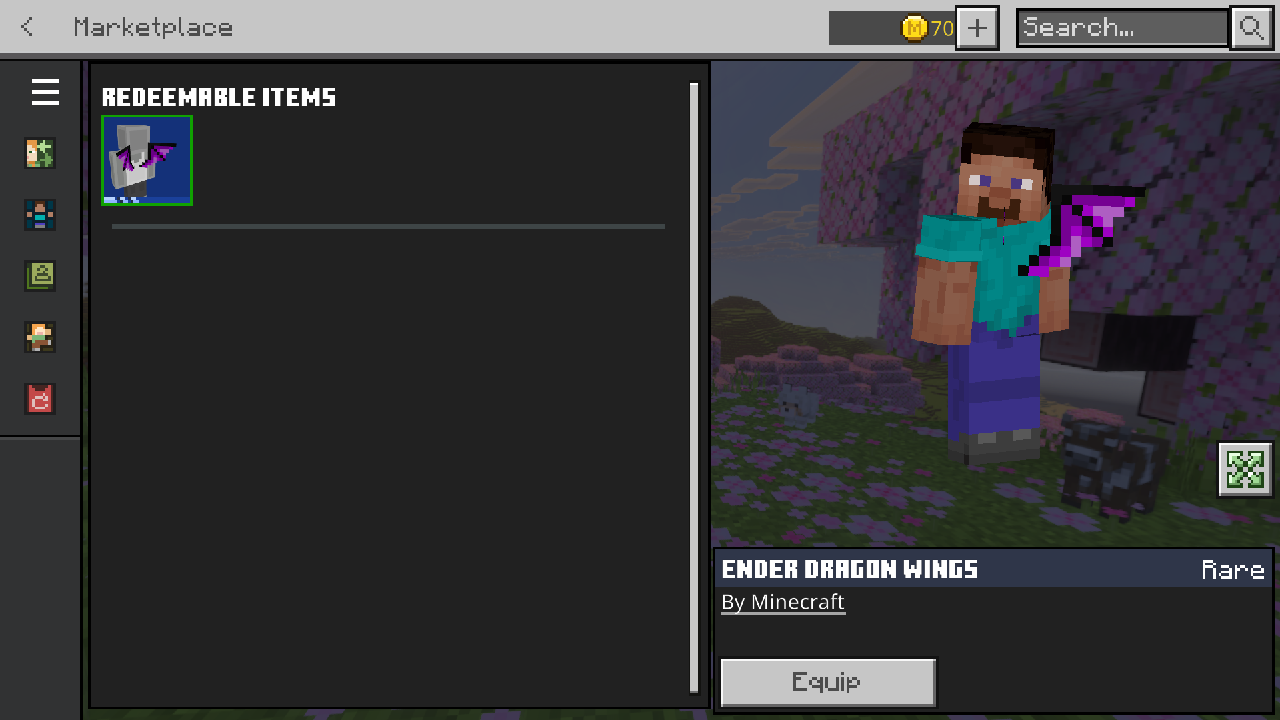
Ender Dragon Wings back item equipped in Minecraft Bedrock Edition Character Creator
The Ender Dragon Wings as they appear in the Minecraft Bedrock Edition Character Creator.

What are the Ender Dragon Wings?

The Ender Dragon Wings are an upcoming Character Creator back item for Minecraft Bedrock Edition, classified as Rare rarity. They are modelled after the iconic wings of the Ender Dragon, one of the most recognisable creatures in all of Minecraft, reimagined as a wearable cosmetic for your character's dressing room.

Ender Dragon Wings item thumbnail icon Ender Dragon Wings
Ender Dragon Wings worn by a Minecraft Bedrock character, full body view of the rare back item cosmetic
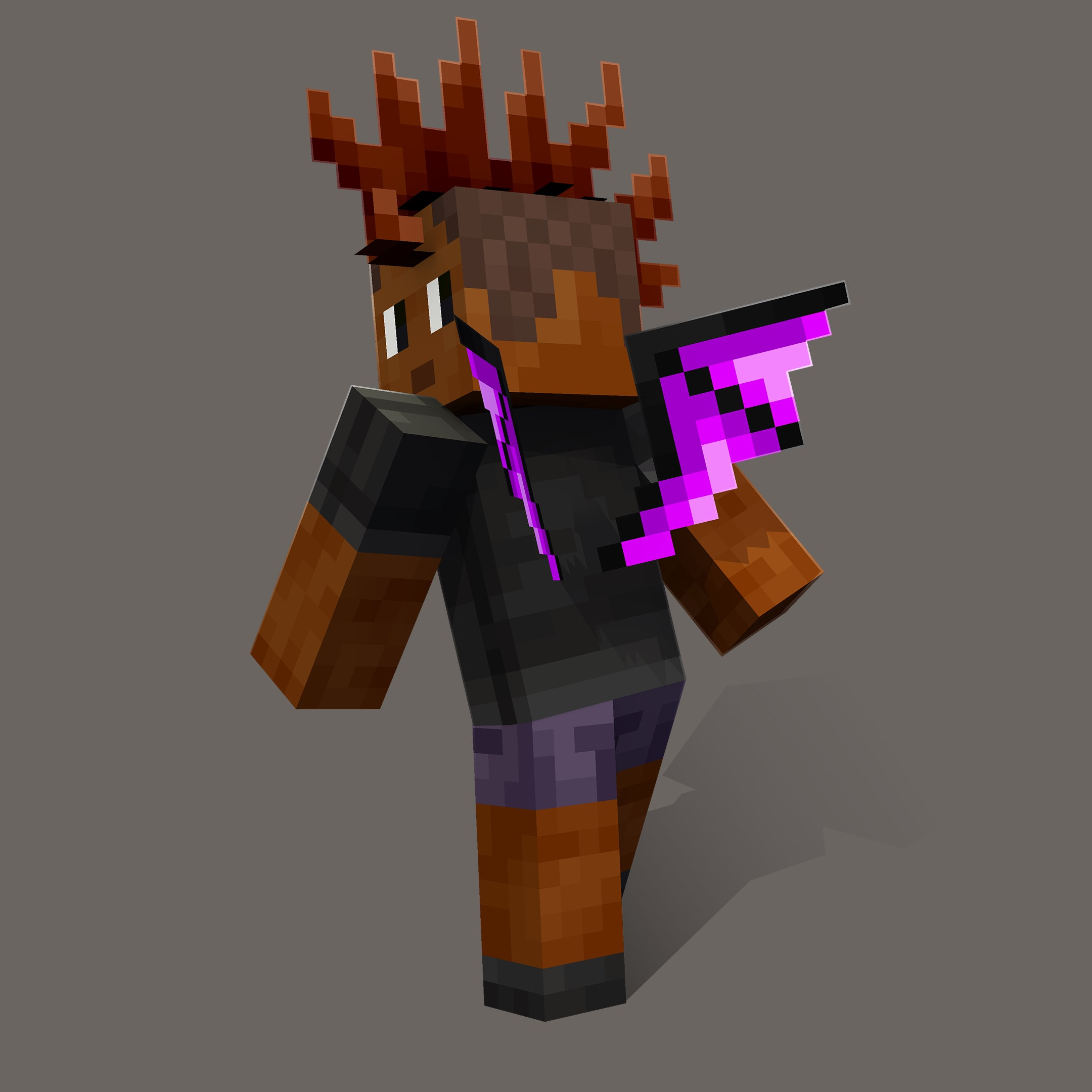
The Ender Dragon Wings shown on a full character render.

The LEGO Set: #21595 The Ender Dragon

The Ender Dragon Wings unlock through a redeem code included inside LEGO Minecraft set #21595, The Ender Dragon, coming soon at an estimated retail price of $59.99 USD. The set contains 710 pieces and builds a large-scale Ender Dragon figure complete with a detailed wingspan and display base.
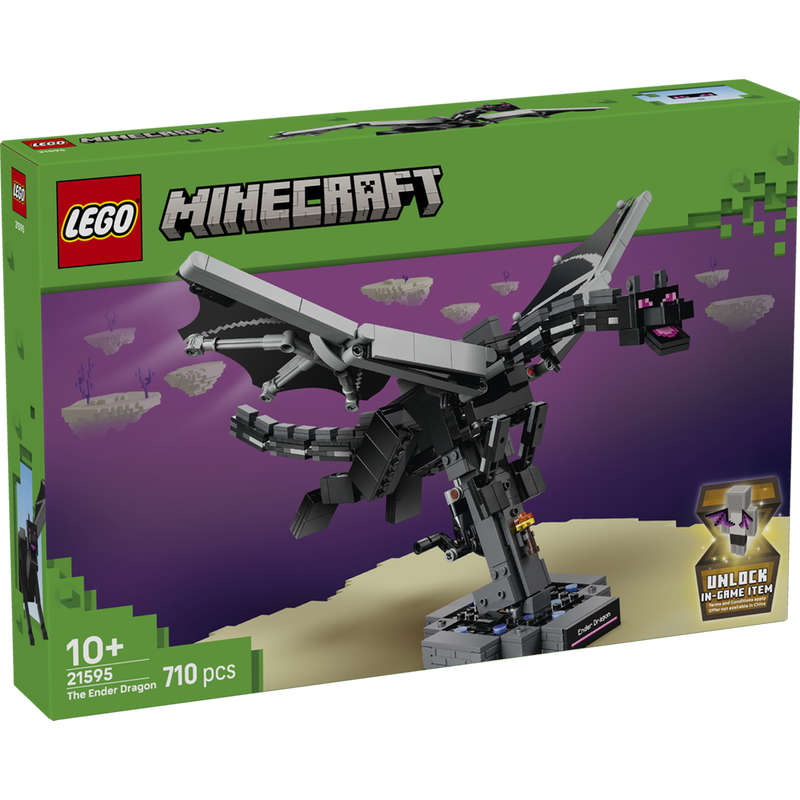
LEGO Minecraft #21595 The Ender Dragon set box

LEGO Minecraft #21595: The Ender Dragon Coming Soon

710 pieces  ·  Ages 10+  ·  Includes Ender Dragon Wings redeem code

Includes a one-time redeem code for the Ender Dragon Wings back item in Minecraft Bedrock Edition. Terms and conditions apply. Offer not available in China.

~$59.99 USD

How to Redeem the Ender Dragon Wings

Once you have the LEGO set in hand, redeeming the code takes less than two minutes. Follow the steps below and the Ender Dragon Wings will appear in your Character Creator back items section right away.

1
Get the LEGO set: Purchase LEGO Minecraft #21595 The Ender Dragon (coming soon, ~$59.99 USD). The single-use redeem code is printed inside the box.
2
Go to the redeem page: Visit minecraft.net/en-us/redeem and sign in with the Microsoft account linked to your Minecraft profile.
3
Enter your code: Type in the code exactly as printed and confirm the redemption. The Ender Dragon Wings will unlock to your account immediately.
4
Equip it: Launch Minecraft Bedrock, open your Character Creator, navigate to Back Items, and select the Ender Dragon Wings to equip them.
Note: The redeem code is a single-use, one-time code that grants the Ender Dragon Wings to one account only. Terms and conditions apply. Offer not available in China.

Try It On Early with Bedrock Cosmos

Can't wait for the LEGO set to release? Bedrock Cosmos lets you preview the Ender Dragon Wings and other upcoming redeemable items before they are officially available, completely free. Here's how:

1
Open Bedrock Cosmos: If you don't have it yet, download it from bedrock-cosmos.app.
2
Go to Edit Character: Open the Edit Character section from the Bedrock Cosmos main menu.
3
Open Redeemable Items: Navigate to the Redeemable Items tab. This section lets you try on the newest upcoming items first, including the Ender Dragon Wings, before anyone else can access them.

The Ender Dragon Wings are one of the most striking back items coming to Minecraft Bedrock's Character Creator. Whether you grab them through the LEGO set at launch or preview them early via Bedrock Cosmos, they're a bold cosmetic worth having in your dressing room.

#character-creator #ender-dragon-wings #lego-minecraft #bedrock-edition #bedrock-cosmos #back-item #guide