
Bedrock Cosmos
Bedrock Cosmos app icon

Bedrock Cosmos

A custom built proxy for Minecraft Bedrock Edition that adds custom capes, skin packs, and restored content with new ways to customize your experience.

Download Join Discord
downloads members

Open Source

The Launcher is open source and available on GitHub

Easy To Use

Simple installation process that takes seconds

Compatible

Works with other Minecraft Bedrock Edition clients

Lightweight

Runs in the background, using very few resources
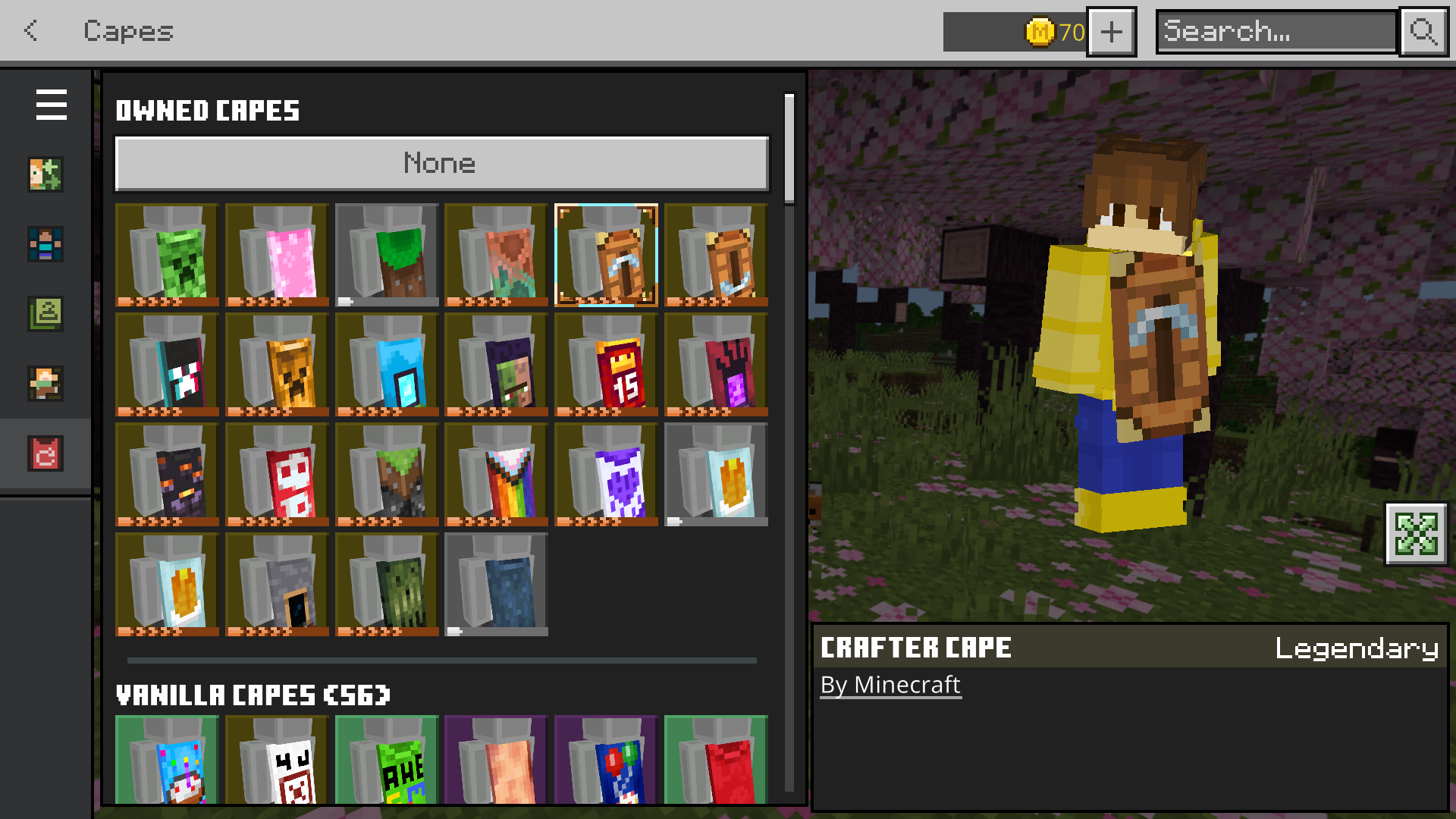
Custom Capes

Express yourself with an extensive library of custom capes. Bedrock Cosmos seamlessly adds tons of unique cape designs to your Minecraft Bedrock experience.

Browse through a multitude of unique designs and equip your favorite cape to stand out in any server or world.
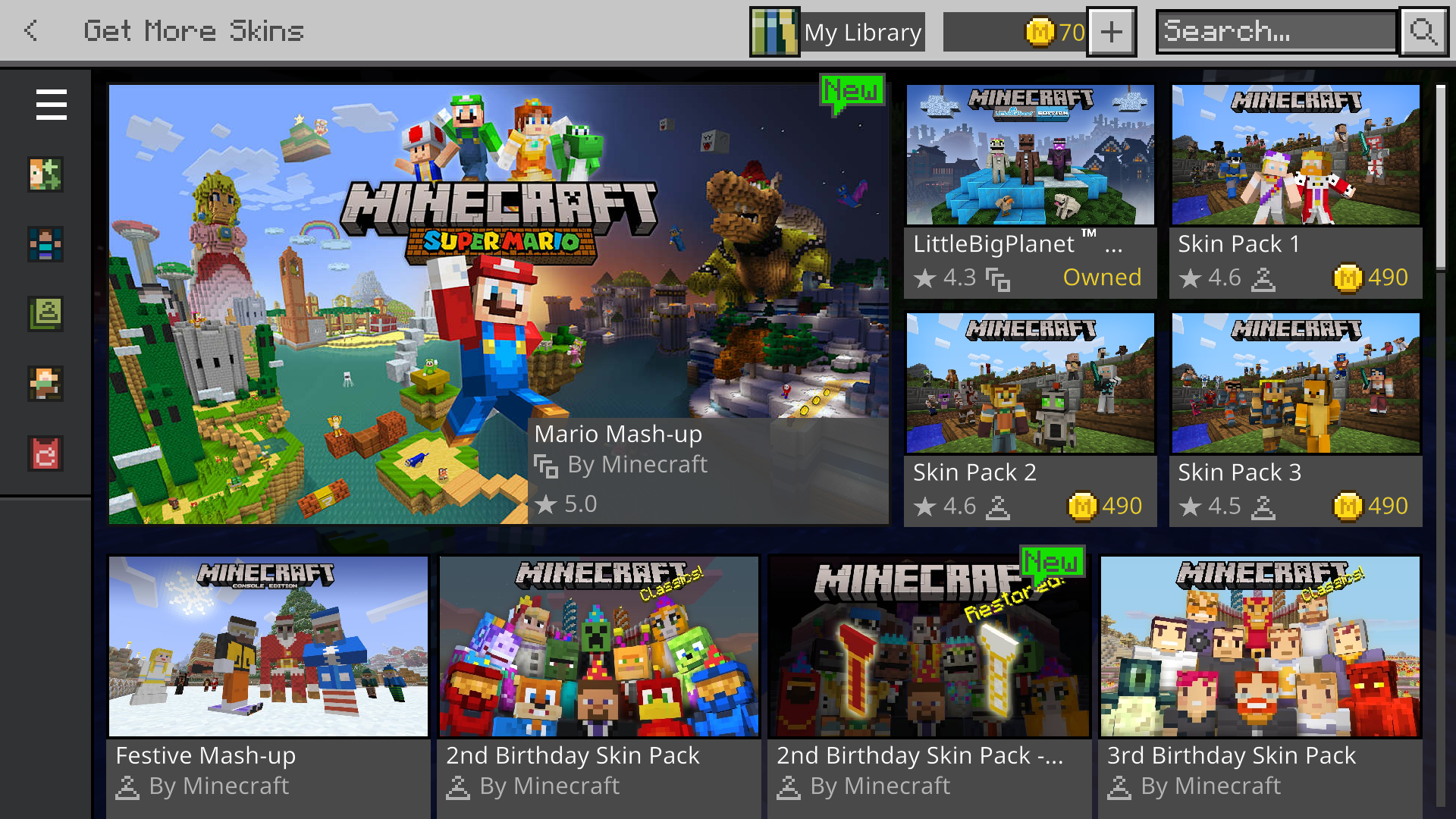
Marketplace Highlights

Discover hidden gems in the Minecraft Marketplace. Bedrock Cosmos highlights packs that aren't always visible, helping you discover exclusive content not prominently shown in your region.

Restored Content

Bedrock Cosmos fixes broken marketplace packs by restoring missing features. Get back capes, animations, and skins that were removed or broken in official updates.

Enjoy the full Minecraft Bedrock experience as it was meant to be, with all features fully functional.

What is Bedrock Cosmos?
Bedrock Cosmos is a free, open-source custom proxy for Minecraft Bedrock Edition on Windows. It adds a large library of custom capes and skin packs not available in the base game, reveals hidden or region-locked Marketplace content, and restores missing features — like capes, animations, and skins — that were removed or broken in official pack updates. It runs as a lightweight background process and requires no special technical knowledge to install.
Is Bedrock Cosmos safe to use?
Yes — Bedrock Cosmos is completely open source and publicly available on GitHub. Anyone can read the full source code, inspect every network request it makes, and even build it from scratch themselves. It does not modify game files, inject code into the game process, or transmit any personal data. The proxy only intercepts cosmetic-related traffic to apply capes and skin packs client-side.
Which platforms does Bedrock Cosmos support?
Bedrock Cosmos supports Windows 10, Windows 11, and Android. The Windows launcher requires Minecraft Bedrock Edition version 26.3 or higher. Preview Edition and Education Edition are not supported. iOS support is not yet available.
Will Bedrock Cosmos get me banned?
No. Bedrock Cosmos operates entirely as a client-side cosmetic proxy and does not provide any gameplay advantages, aimbots, speed hacks, or anything that would violate Minecraft's terms of service. It only affects how capes and skins are displayed on your client. It does not interact with anti-cheat systems and has no history of causing bans among its user base.
Can I upload my own custom capes?
At this time, only the capes built into the Bedrock Cosmos launcher are available for use. We are working on a future update that will let you upload and use your own custom cape designs. In the meantime, if you're a creator interested in having your capes featured in the app for all users to enjoy, you can apply through our Discord server.
Does Bedrock Cosmos affect game performance?
No — Bedrock Cosmos is designed from the ground up to be lightweight. It runs as a small background proxy process and uses negligible CPU and memory. It does not inject into the game process or modify any game files, so your FPS, loading times, and overall gameplay experience remain completely unaffected.
How do I get support?
The best place to get support is our Discord server, where both the development team and a helpful community of users are active. You can report bugs, ask setup questions, request features, and get troubleshooting help. For known issues and release notes, check the Changelogs page. You can also browse our GitHub repository to open issues directly.
Does Bedrock Cosmos work on Java Edition?
No, Bedrock Cosmos is designed exclusively for Minecraft Bedrock Edition. If you play Minecraft Java Edition, you can still wear our capes using our partner MinecraftCapes.net.

How to use our capes on Java Edition:

  1. Download the Mod: Visit MinecraftCapes.net and install their free mod for Minecraft Java.
  2. Grab a Cape: Head to our GitHub repository and download any cape file you want to use.
  3. Upload Your Cape: Go to the MinecraftCapes.net Your Profile and upload the file, then your cape will appear on you in-game.

Meet the Team

Interested in helping us expand? Find out how you can contribute in our Discord.